0

New Feature: Highlighted Text Tools
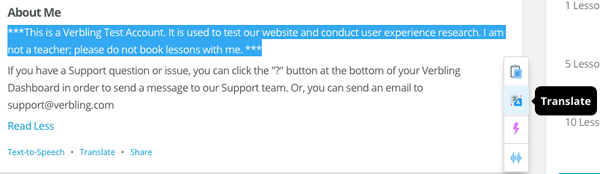
vor 8 JahrenWith our Highlighted Text Tools feature, you can highlight text anywhere on the Verbling site and Copy, Translate, make a Quick Flashcard, or hear the words read out loud with Text-to-Speech.
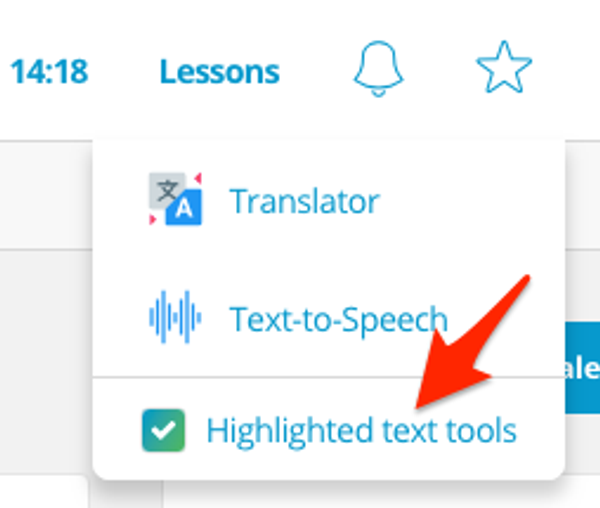
Turn on the Highlighted Text Tool feature by clicking on the star menu at the top of your Dashboard and checking the “Highlighted Text Tools” box.
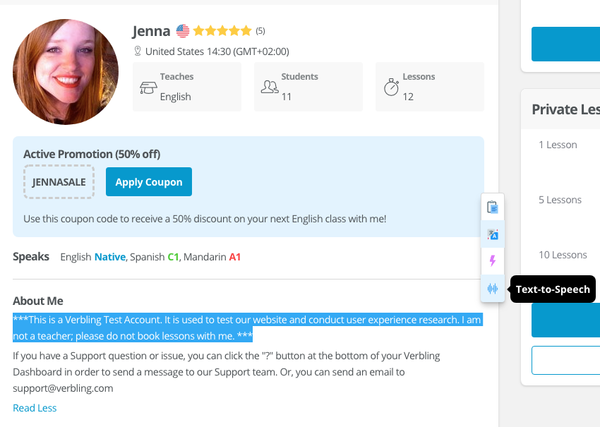
Next, highlight text on any part of the Verbling website, and a menu will appear to the right of the text with the following options: Copy, Translate, Quick Flashcard, and Text-to-Speech.